SEO / Local Search
Hotel Website Content: How to Get Found on Google and Make Booking Easier (2026 Update)
Improve your hotel website content: room pages, location pages, titles, photos and alt text, FAQs, updates, and how to measure from Google search to booking.

In this article
What changed in 2026: guests check your website, and AI reads it for them
Many guests find a hotel on an OTA first, then search its name to look at the website. SiteMinder's Changing Traveller Report 2026 found OTAs are now the top starting point for hotel searches — and around 18% of travellers who start on an OTA end up booking directly with the hotel. Your website is where they come to check before deciding.
Since 27 August 2026, Google has let users in the United States search for and book hotels in AI Mode, which summarises information from many sources, including hotel websites. Google's major ranking updates this year (March, May and November) continued to favour relevant content that genuinely helps searchers.
What this means for hotels: your website isn't only read by people — it's a source Google and AI use to describe your hotel. Wherever your information is missing or vague, they'll fill the gap from somewhere you don't control.
What questions must hotel website content answer?
Before writing anything new, check whether your site answers the five questions every guest asks before booking. If guests need to message you to find out, the website is missing information.
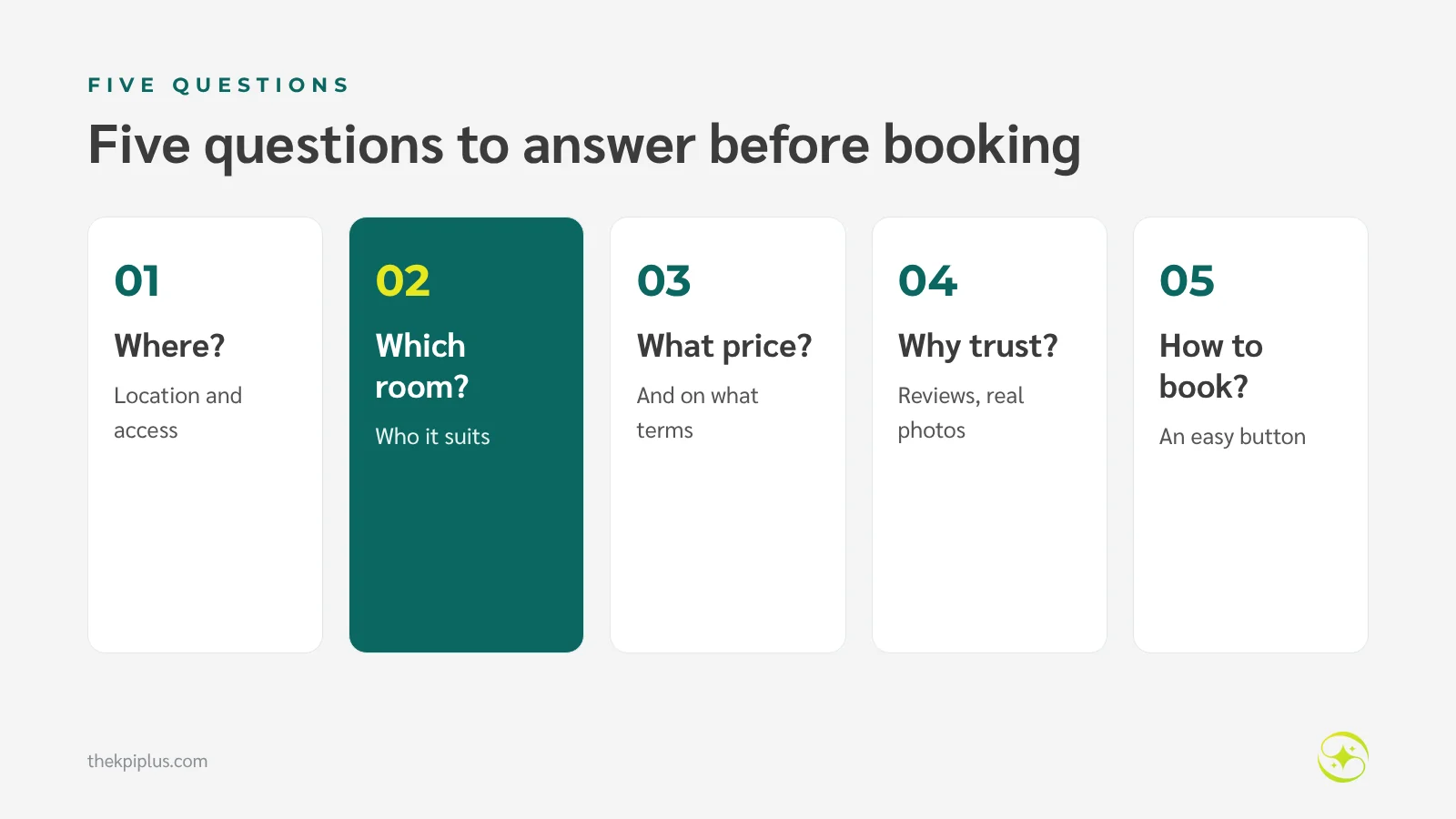
Do this: collect questions from chats, emails and reviews over the last three months, count which come up most, and pick the three pages to fix first — usually room pages, the location page and policies.
1. Make room pages answer questions before guests have to ask
Room pages are closest to booking, and guests compare them directly with OTA listings. If your website shows less than the OTA does, guests go back and book there.
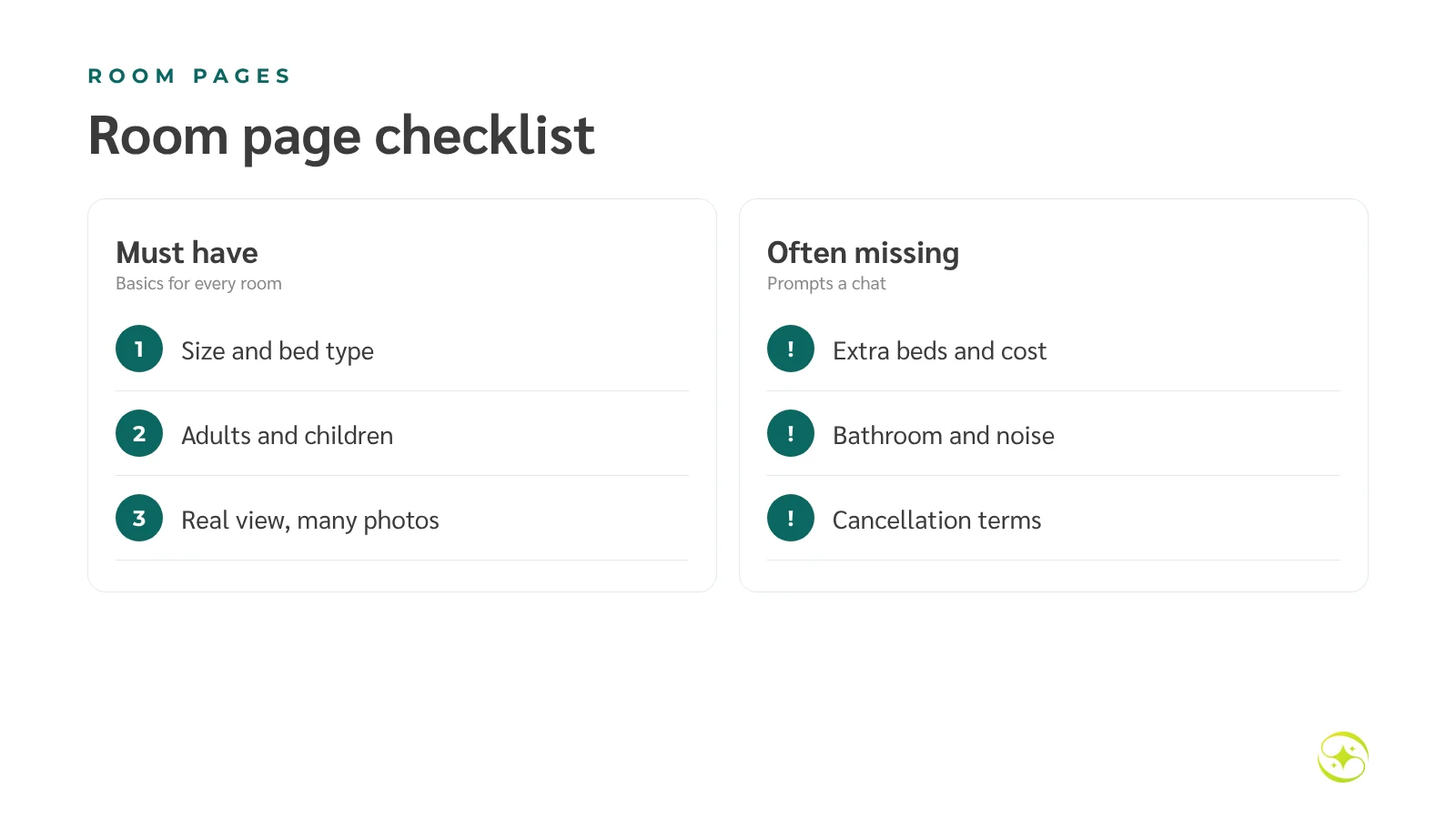
| Must have | Often missing — and prompts a chat |
|---|---|
| Room size (m²) and bed type | Can we add an extra bed? At what cost? |
| Maximum adults and children | Bathtub or shower? |
| Real view and floor | Does it face the road? Is it noisy? |
| Real photos from several angles | Are there connecting rooms? |
| A rates/booking button easy to find on mobile | Cancellation terms and what's included |
Measure: visits to each room page against rate checks and completed bookings.
2. Write location pages from real information
Travellers often search by place — "hotel near Kata Beach", "hotel near Phuket airport". A good location page gives real distances and travel times, how to get there from the airport, and what's within walking distance — not just "close to attractions".
Example: instead of "near the beach", write "350 metres (about 5 minutes' walk) to Kata Beach; around 50–60 minutes by car from Phuket airport, depending on traffic."
3. Write titles and descriptions that match what you offer
The page title and meta description are the first things searchers see on Google. They should say what the page is, where, and who it suits — not advertising lines that could describe any hotel.
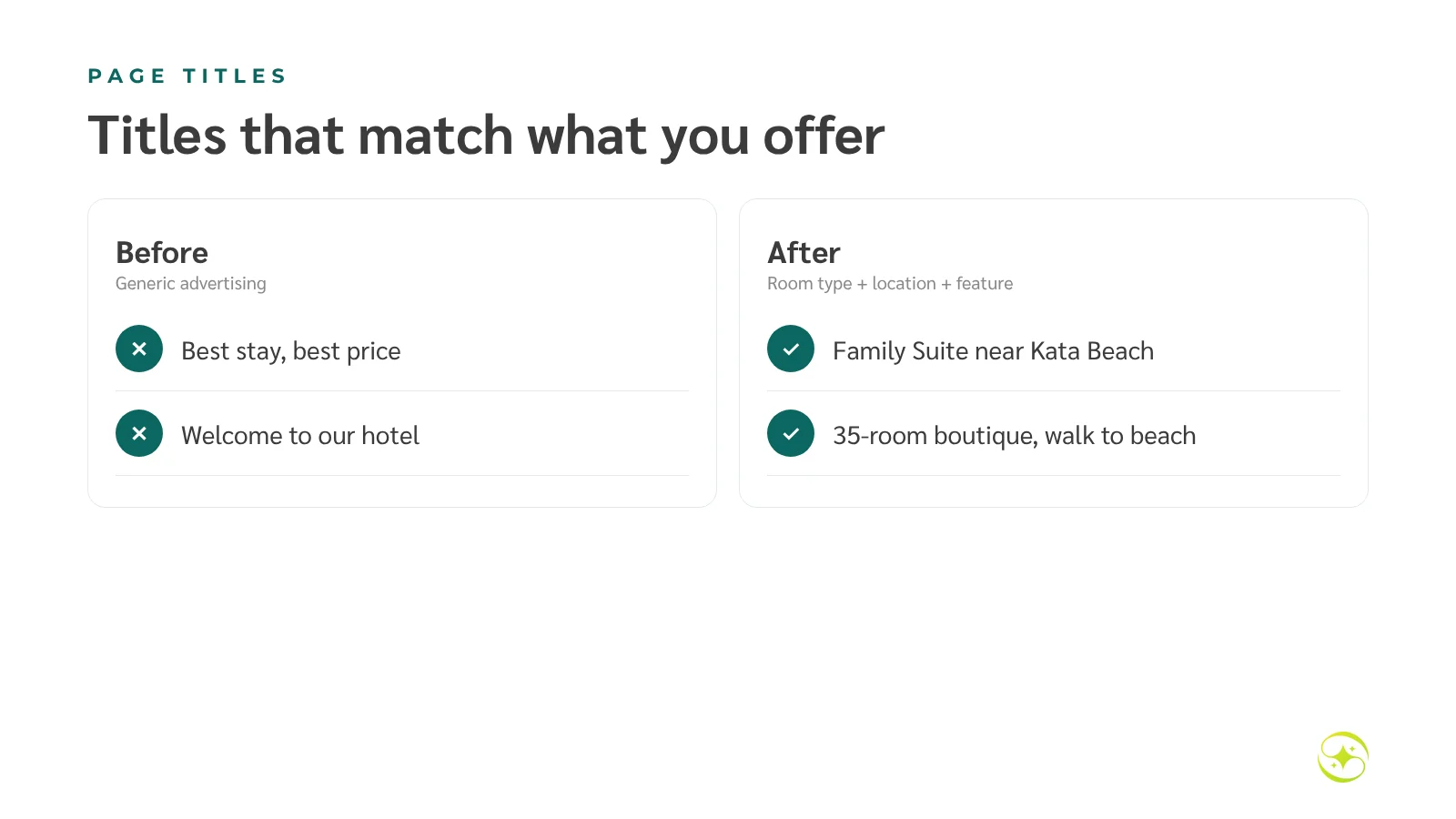
| Before | After |
|---|---|
| The best stay at the best price | Two-Bedroom Family Suite near Kata Beach, Phuket |
| Welcome to our hotel | [Hotel name] — 35-room boutique hotel, walk to Kata Beach |
Watch out: the meta keywords tag has no effect on Google Search rankings. Spend the time on titles and page content instead.
4. Use photos that show the real property — and describe them
Good photos show how big the room is, where the bed sits, what the bathroom looks like and what the view really is. Include one wide shot and detail shots of what guests ask about most.
- Write alt text that describes the image, e.g. "Deluxe room with king bed and balcony overlooking the pool"
- Compress images (WebP, for example) so they load fast on mobile
- Use descriptive file names, such as `deluxe-pool-view-balcony.webp`
5. Turn chat questions into an FAQ page
Questions your team answers in chat every day belong on the website: check-in time, parking, pets, transfers, cancellation. Keep answers short, direct and consistent with real policy. A good FAQ page also helps Google and AI describe your hotel accurately.
Do this: ask reservations to note five repeated questions each week, and add them to the FAQ every month.
6. Update when facts change — not just the date
Changing the "updated" date without changing the content achieves nothing. Update pages when rooms, prices, policies or facilities change, and review the whole site on a realistic schedule.
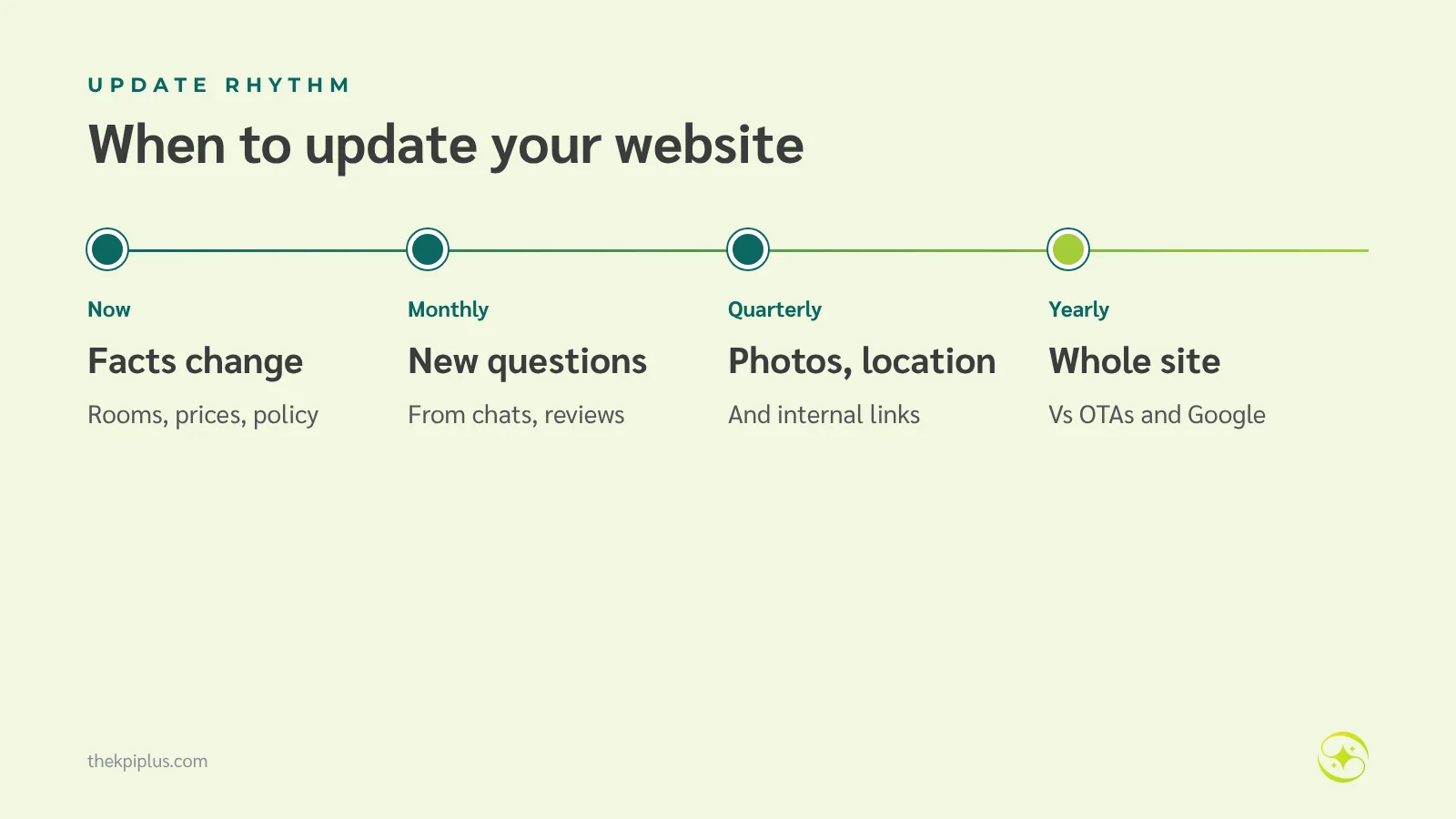
| When | What to check |
|---|---|
| Immediately | Changed rooms, prices, policies or facilities |
| Monthly | New questions from chats and reviews |
| Quarterly | Photos, location page and internal links |
| Yearly | The whole site against OTAs and your Business Profile |
7. Measure hotel website content from search to booking
Good measurement follows the whole path: how many people see your pages on Google, click through, reach a room page, check rates and complete a booking. The biggest drop-off is where to start fixing.
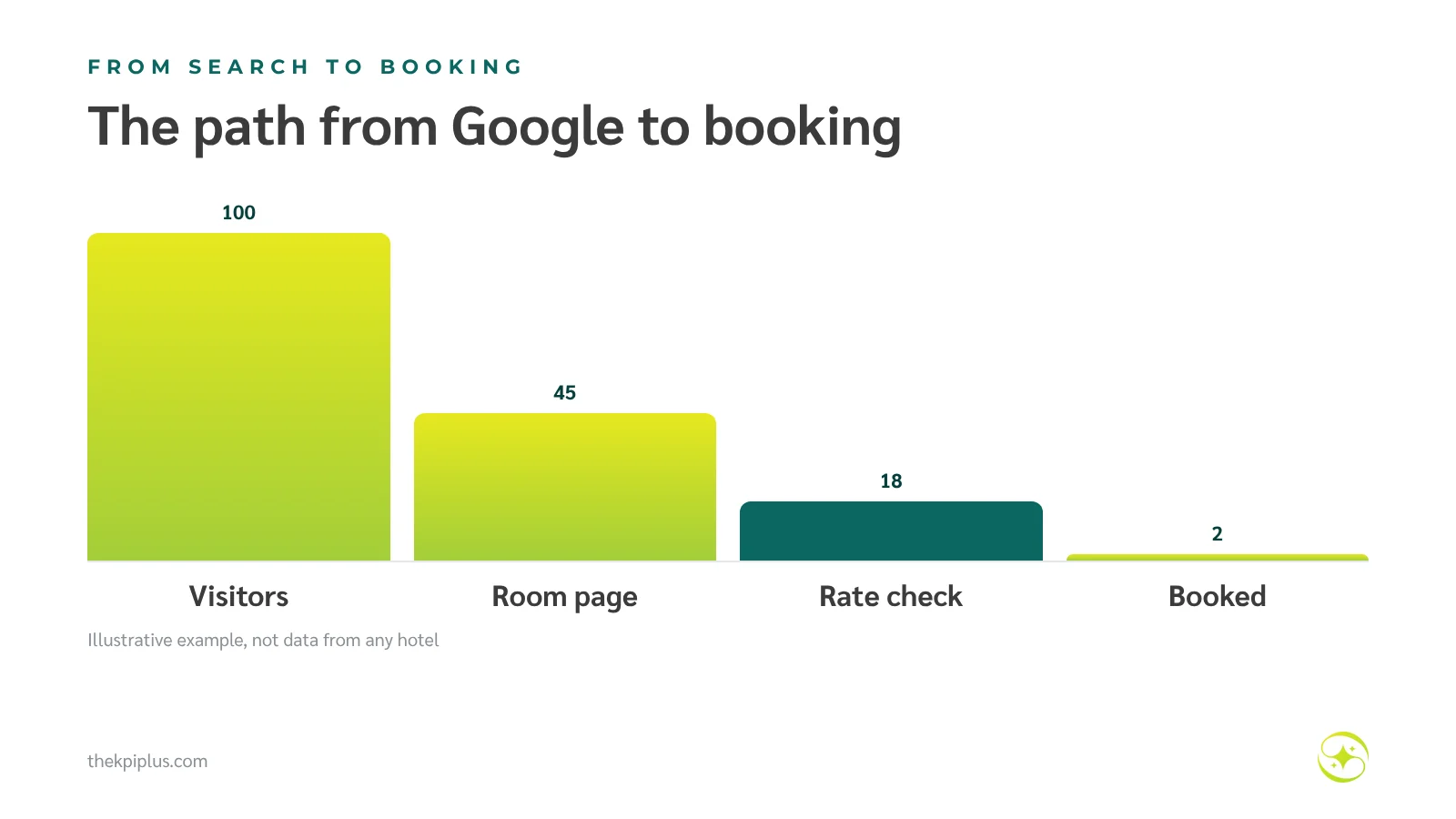
Numbers to watch: Search Console clicks per page · % of visitors reaching a room page · % checking rates · booking conversion rate · fewer repeat chat questions after adding FAQs
Improve your content in one week
Short on time? Spend one week on the pages closest to booking, in this order.
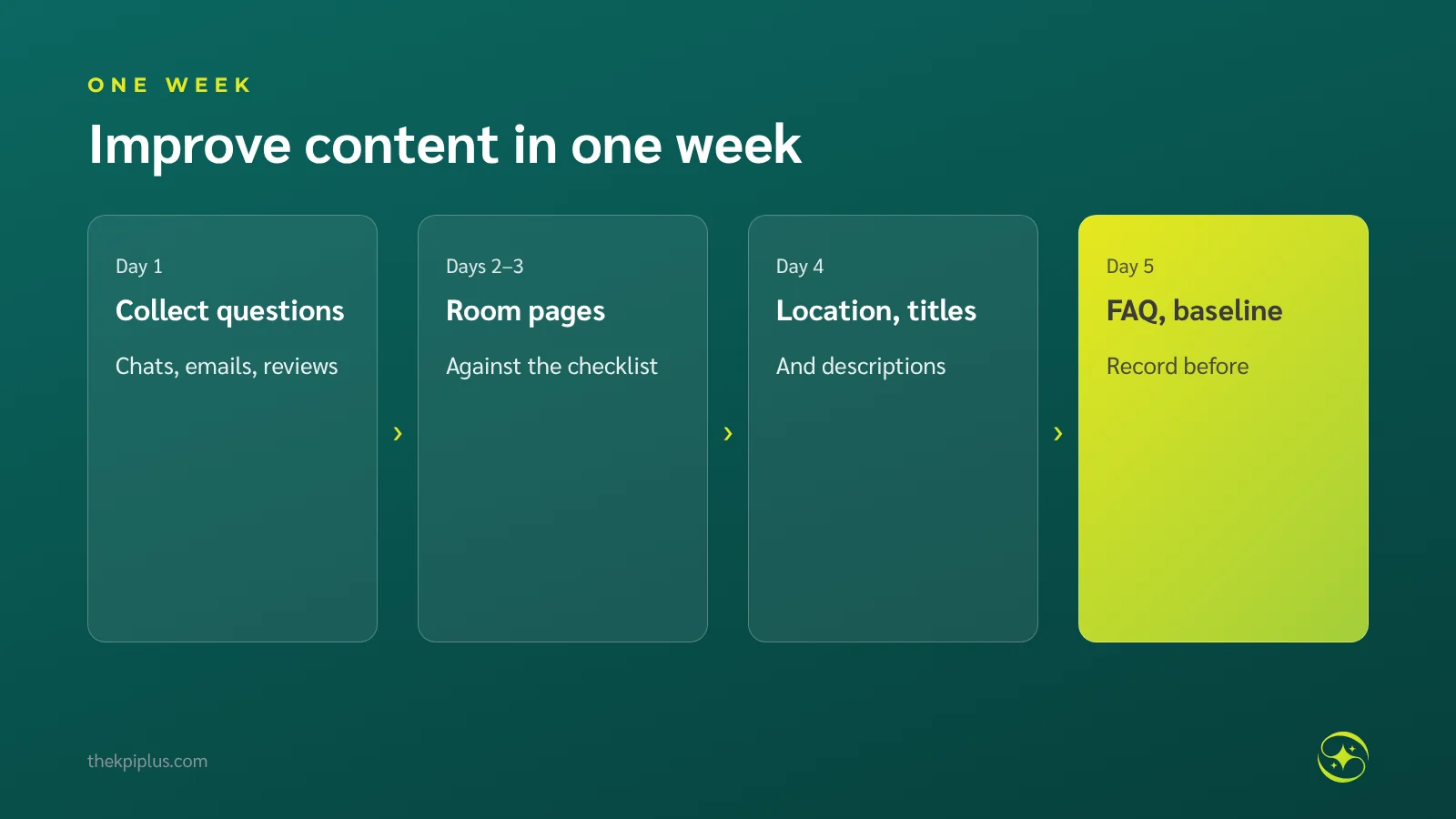
1. Day 1: collect questions from chats, emails and reviews
2. Days 2–3: fix every room page against the checklist
3. Day 4: fix the location page, titles and descriptions
4. Day 5: add the FAQ page and record your baseline numbers for comparison
Planning example: rebuilding a Deluxe Pool Access page
Imagine a 40-room hotel whose Deluxe Pool Access page has three photos and two lines: "Beautiful room, pool access, great atmosphere." Reservations answer the same chats every day: how many children, how deep is the pool, is there a bathtub?
After the rebuild, the page states 38 m², king or twin beds, two adults and one child, a shared pool 1.2 metres deep, a walk-in shower, and the cancellation terms — with eight photos. The team aims for more rate checks from this page and fewer repeat questions in chat. This is a planning example, not a result from any client.
Frequently asked questions
Which pages should a hotel website have?
At minimum: a homepage stating your name, location and strengths; a page per room type; a location and getting-here page; facilities or experiences; an FAQ and policies page; and a contact page. Every page needs an easy-to-find rates or booking button on both mobile and desktop.
How often should we publish new articles to rank on Google?
Frequency isn't the main factor. Complete room, location and FAQ pages matter more than a weekly blog. If you write articles, choose topics from real guest questions — airport transfers, things to do nearby. One or two well-researched articles a month is enough.
Should we put keywords in every image's alt text?
No. Alt text describes what the image shows, for screen-reader users and for Google. Write it honestly — 'Deluxe room with king bed and balcony overlooking the pool'. Include a keyword only when it naturally describes the image; repeating keywords on every photo doesn't help and reads badly.
How soon will improved website content show results?
Booking-path changes, such as more rate checks from a room page, can appear within weeks. Effects in Google Search usually take one to three months, once Google re-reads the page. Record the date you changed each page and compare before-and-after numbers in Search Console and analytics.
Can we use AI to write our hotel website content?
You can use it to draft, but someone who knows the hotel must check every fact — room size, distances, pool hours, policies. AI tends to produce generic descriptions that fit any hotel and don't help guests decide. Add the specific details only your hotel has.
Summary
Effective hotel website content answers the five pre-booking questions completely, starting with room pages, the location page, titles, photos and FAQs. Update it when facts change and measure from search to booking. With guests checking your site before they book and AI reading it on their behalf, clear and accurate information is your advantage.
For help with both content and the booking path, see hotel website design or our hotel website conversion overview. For advice specific to your property, request a Hotel Performance Audit.
Related reading: Hotel SEO and Increase Hotel Bookings from Google.