
3 in 5 travellers
need to feel sure before they book, and more than half check travel details from another source.
Hotel Website Design
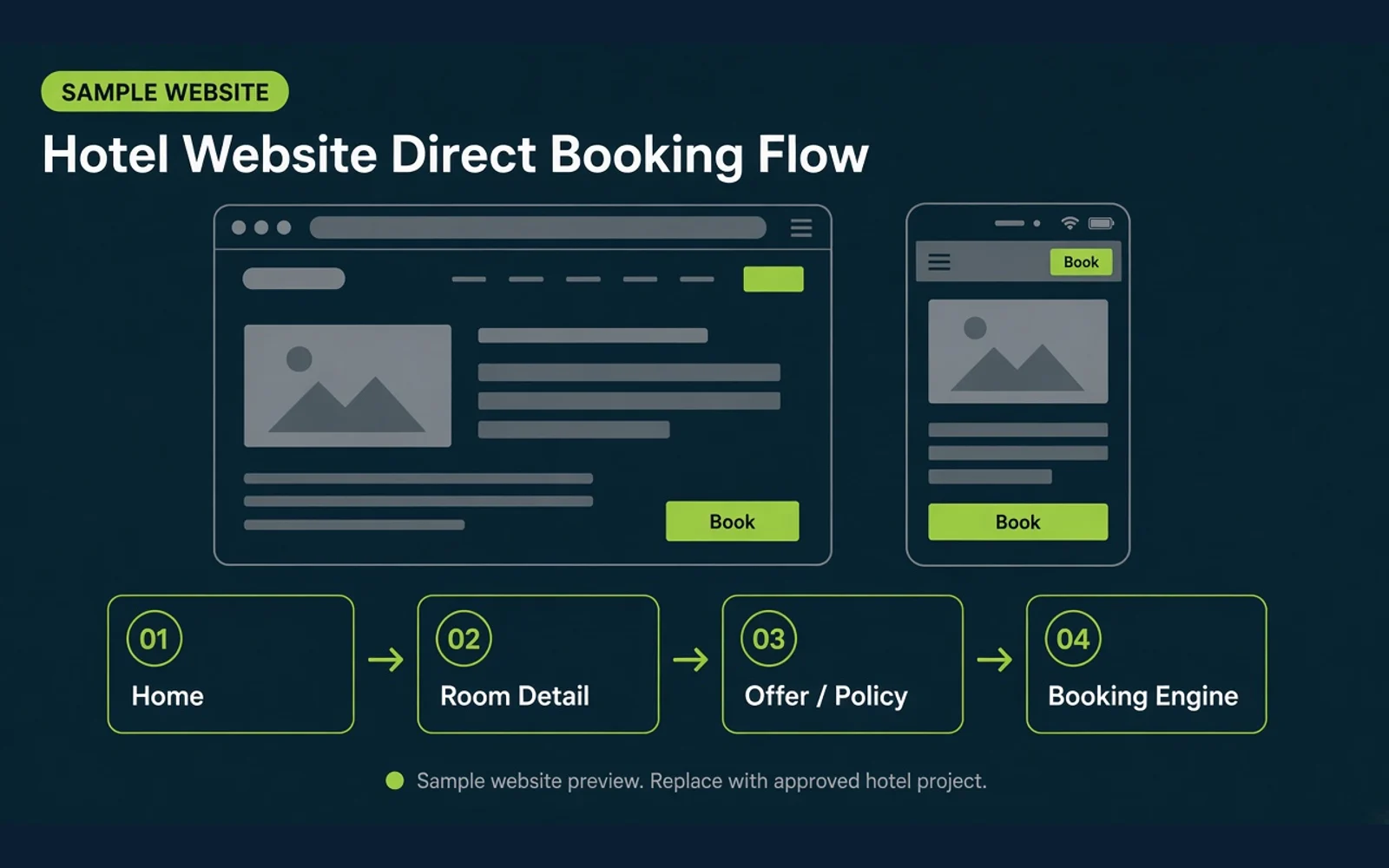
Guests should understand the hotel, rooms, offers, policies, and location before they book. The website can guide them from discovery to a direct booking, and the hotel team can keep updating content after handover.
ResponsiveCMS-readyBooking Engine-readyMeasurement-ready
 Sample Website
3 in 5 travellers
need to feel sure before they book, and more than half check travel details from another source.
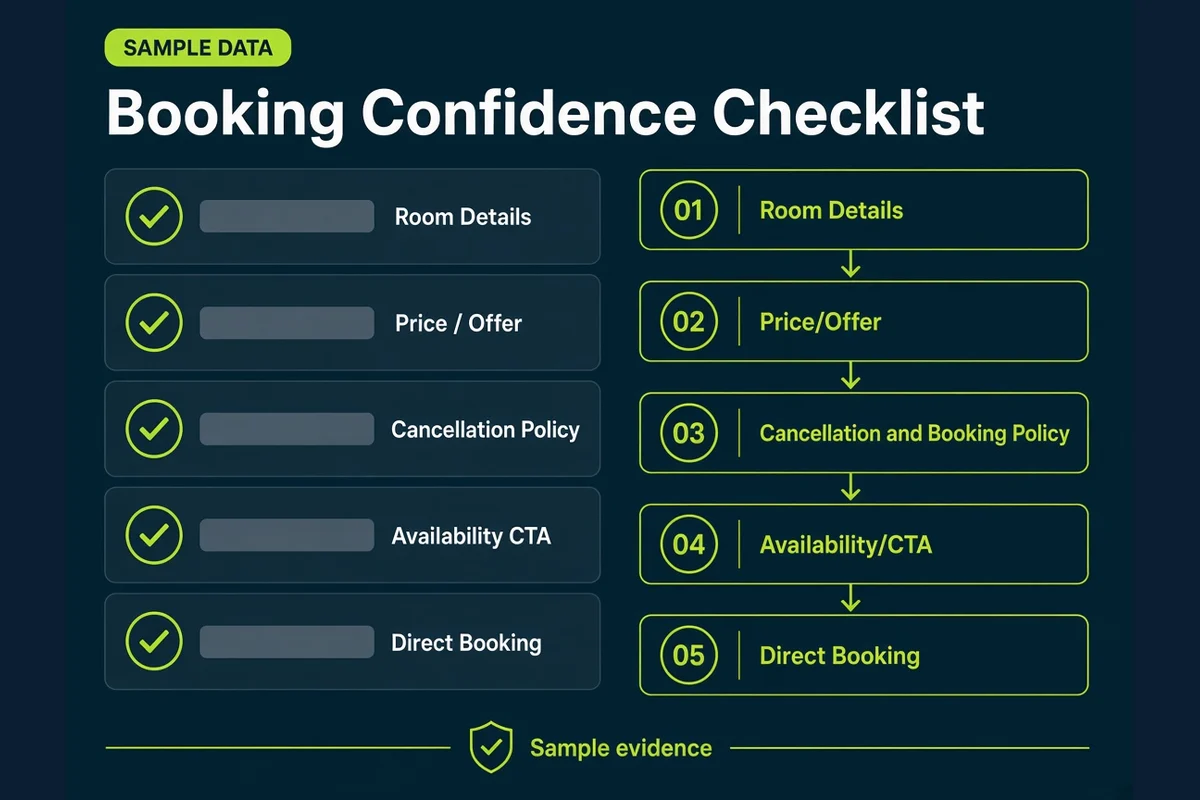
Price and cancellation terms together affect booking intention. The official website should show room details, the offer, policy, and a direct-booking path before the guest decides.
The path guests use before they book
These figures are research context, not a result this service guarantees. They do not mean a website alone caused the reported booking or cancellation outcome.
 Sample Website
Review the evidence on the website: rooms, location, price, policy, and the booking path. Status in this table is sample review state, not a scored hotel result.
Sample WebsiteHotel Website Readiness Checklist — Sample
| Question | Evidence to show | Current status | Recommended action | Output |
|---|---|---|---|---|
| 01 Is room information clear? | Photos, room size, facilities, bed type, occupancy | Sample · Review on the hotel website | Check that the room page shows photos, size, facilities, bed type, and occupancy. | Room Detail Page |
| 02 Can guests understand the location? | Map, nearby destinations, travel time, transport | Sample · Review on the hotel website | Show a map, nearby places, travel time, and how to get there before booking. | Location Module |
| 03 Are price and policy clear? | Price, inclusions, promotion, cancellation, taxes/fees where applicable | Sample · Review on the hotel website | Show the rate, inclusions, offer, cancellation terms, and taxes or fees when they apply. | Offer/Pricing Block |
| 04 Can guests contact or book easily? | CTA, phone, chat, contact form, booking engine | Sample · Review on the hotel website | Place the book CTA, phone, chat, form, and booking engine where guests can find them at once. | Conversion Path |
| 05 Is the booking flow clear? | Mobile flow, number of clicks, loading, error state, confirmation | Sample · Review on the hotel website | Review the mobile booking path, click count, loading, error states, and confirmation. | Booking UX Checklist |
| 06 Can the hotel team keep owning the site? | CMS, roles, content guide, handover process | Sample · Review with the hotel team | Set the CMS, roles, content guide, and handover steps so the hotel team can continue. | Handover Plan |
 Sample Website
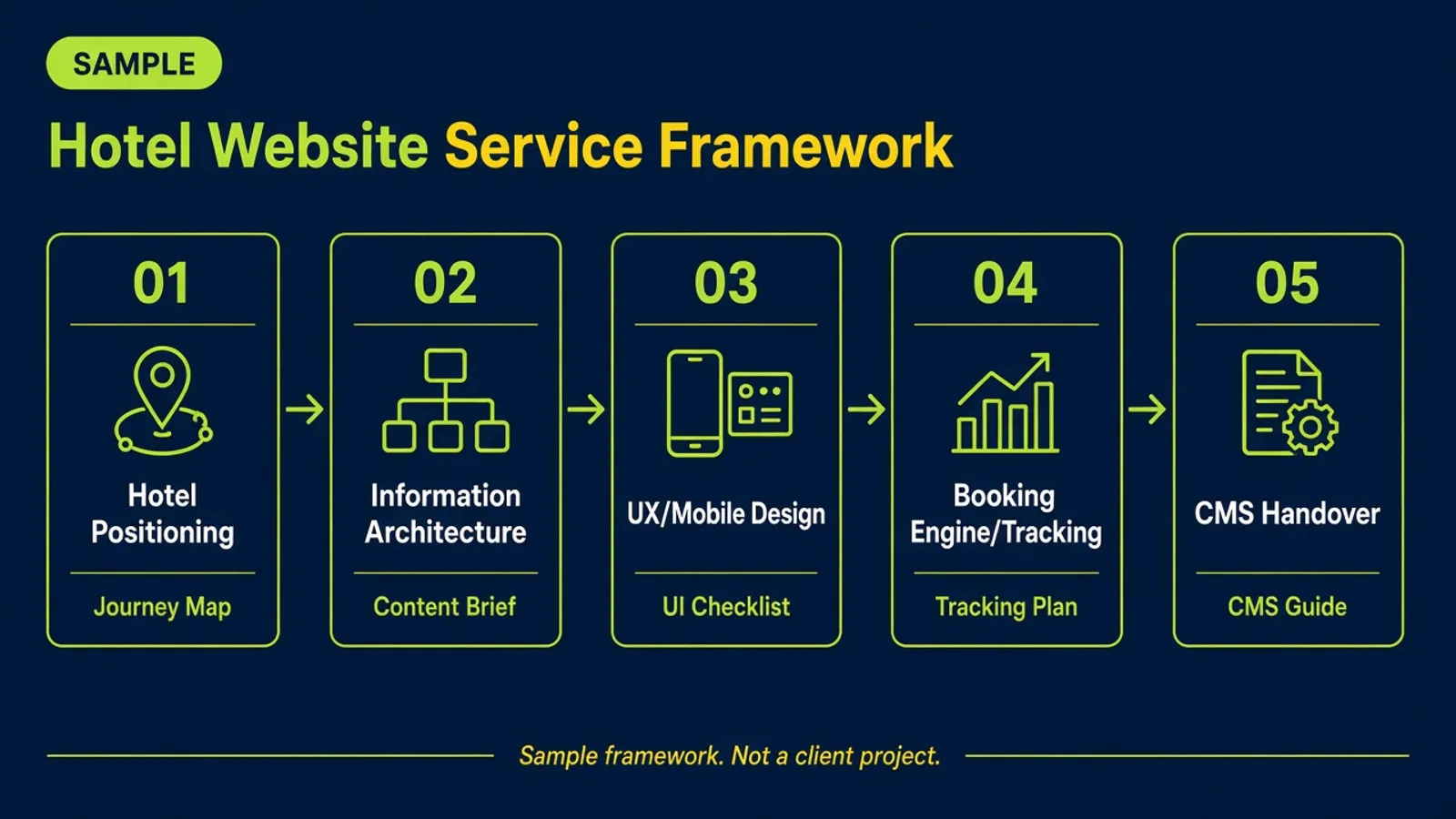
Hotel Website Service Framework — Sample
| Service pillar | Input | Action | Output | Hotel approval point |
|---|---|---|---|---|
| 01Plan the site from the guest’s point of viewStrategy | Current hotel facts, rooms, location, and the existing website | Arrange the pages and the order of facts so guests understand the hotel, from the overview, rooms, location, and facilities through to the offer and how to book. | Strategy | Brand message and how the hotel is described |
| 02Design for easy use on a phoneUX | Key pages and the devices guests actually use | Review reading, navigation, page speed, contact buttons, and the path to the booking page on the devices guests actually use. | UX | How contact and booking paths are shown |
| 03Tell the hotel story with real facts and photosBuild | Existing copy and hotel-approved images | Develop copy that shows the strengths without overstating them, and list which photos already exist and which ones still need to be made. | Build | Real hotel images and brand message |
| 04Connect the booking system and measurementTracking | The current booking system and measurement accounts the hotel allows | Check that room and offer pages send guests clearly into the booking engine, and set measurement according to what the website and booking system can actually report. | Tracking | Prices, promotions, policies, and external account access |
| 05Make the site something the hotel team can look afterHandover | Who will update content and the CMS the team will keep using | Choose a content method that fits the people who will use it. If the team will update photos, copy, or offers themselves, the edit steps should be easy to understand and the access rights should be set. | Handover | External account access and post-handover permissions |
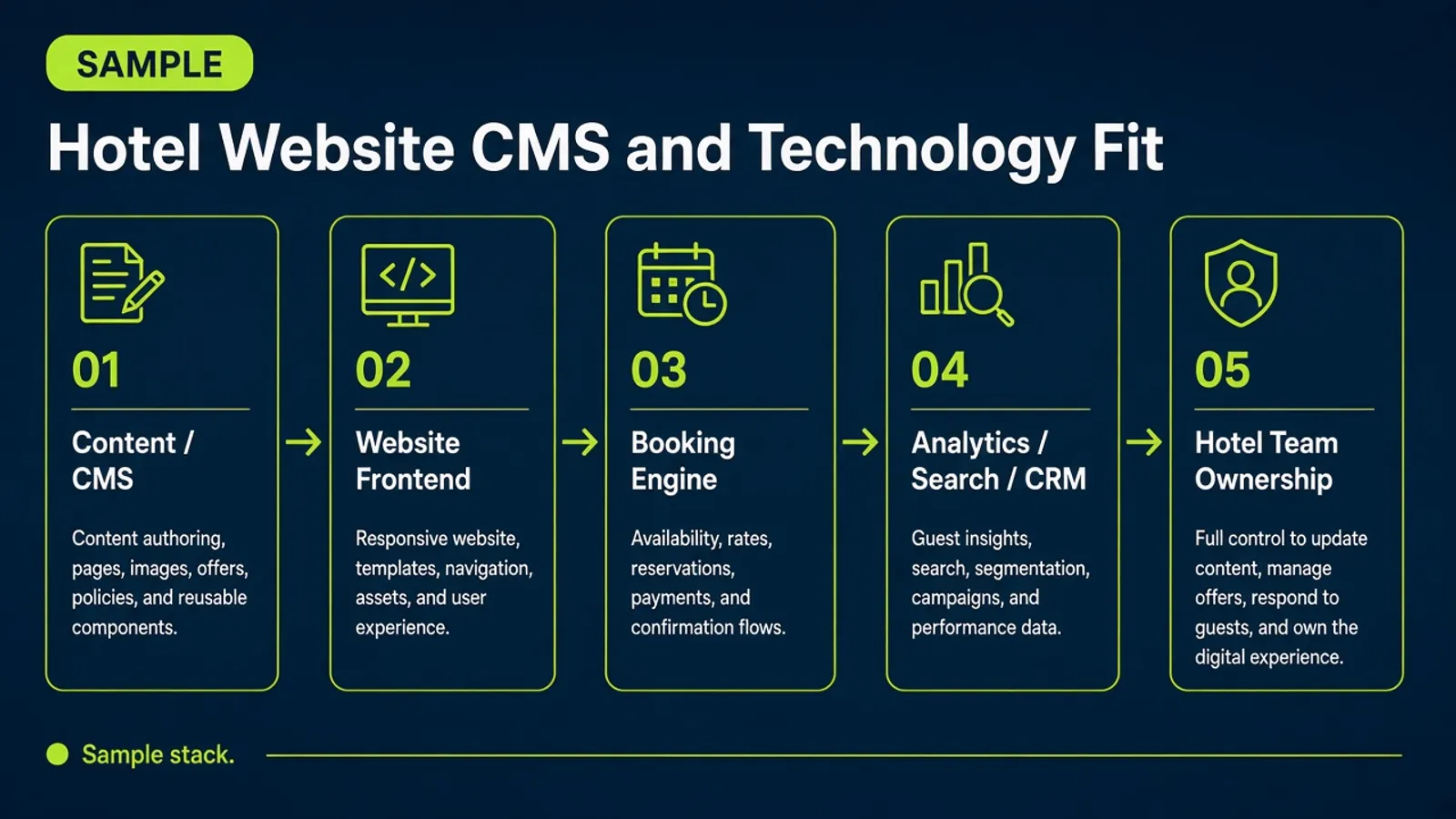
We choose the technology from the hotel’s needs: how many pages must be looked after, how often content changes, which booking system must connect, the budget, and who will own the website after launch.
 Sample Website
Hotel Website CMS and Technology Fit — Sample
| Need | Possible option | Suitable when | What to verify | Ownership after handover |
|---|---|---|---|---|
| CMS | WordPress or the existing CMS | When the hotel team needs to edit content | Roles, security, hosting, backup, and plugin/update ownership | Hotel team owns the CMS |
| Development | Existing development team, Cursor, Claude, Manus, or other approved tools | When supporting development, prototyping, documentation, or maintenance | Code review, QA, security, ownership, repository, and deployment process | Source-code owner agreed at handover |
| Booking | Existing Booking Engine or an approved new system | When direct booking is required | API, URL, rate/availability, tracking, mobile behavior, and consent | Hotel owns the booking-engine account |
| Analytics | Analytics, Search Console, event tracking, CRM | When measurement is approved and configured | Events, consent, access control, data retention, and owner | Hotel owns Analytics |
Tools help the team work faster. The website handed over must be usable, possible to look after, and have a clear owner.
Tool names are sample options. They do not mean a partnership, sponsorship, or official endorsement.
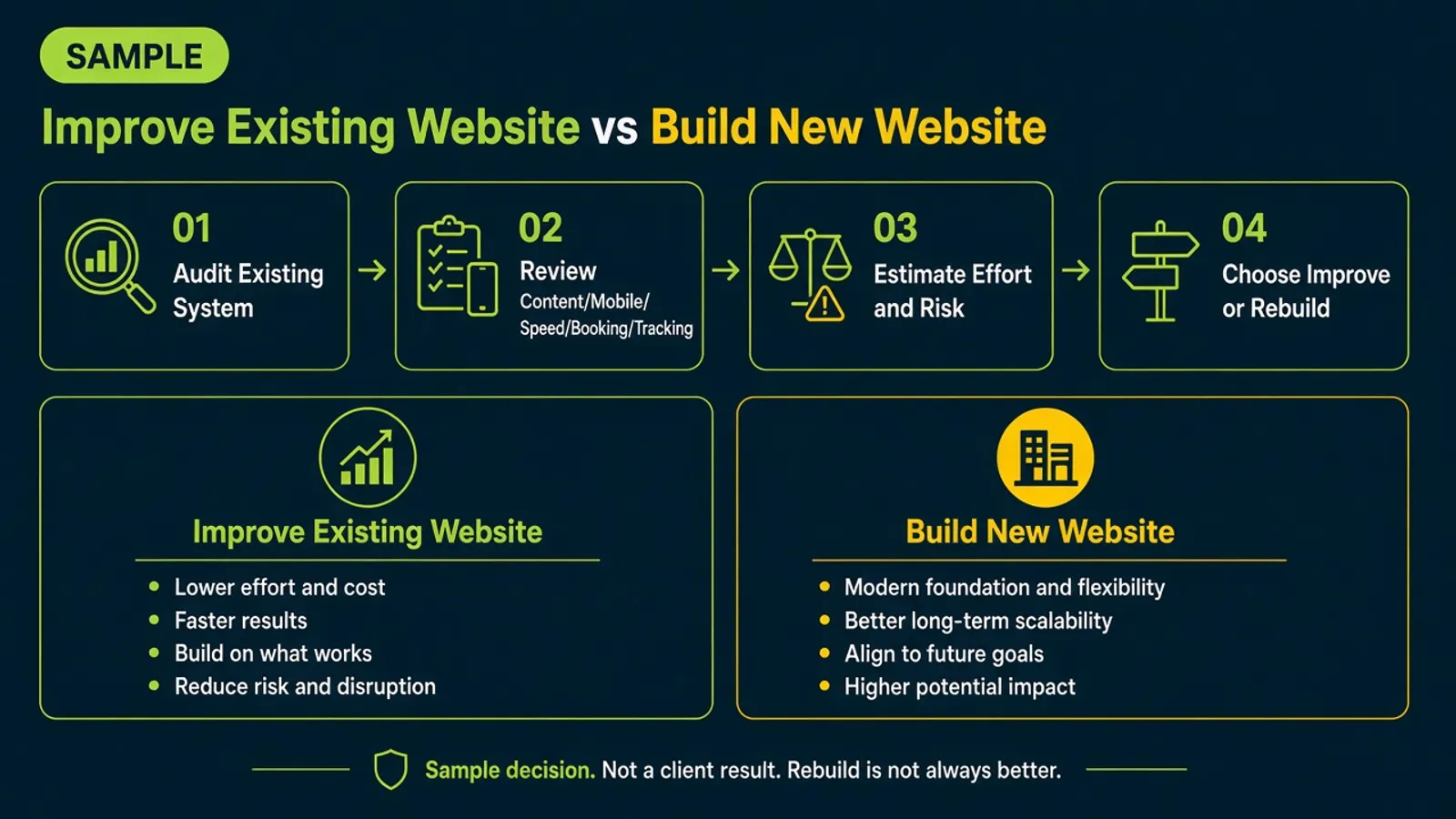
A rebuild is not always needed. If the current site can be edited, works on a phone, and can connect to the booking system, the team may first recommend changing the structure, room pages, photos, or copy.
 Sample Website
Improve Existing Website vs Build New Website — Sample
The choice depends on evidence from the current system, the hotel team’s capability, ownership, budget, and timeline. A new website is not always better.
If the current system limits use or is hard to look after, we explain the reason and the scope of a new build before the hotel decides.
 Sample Website
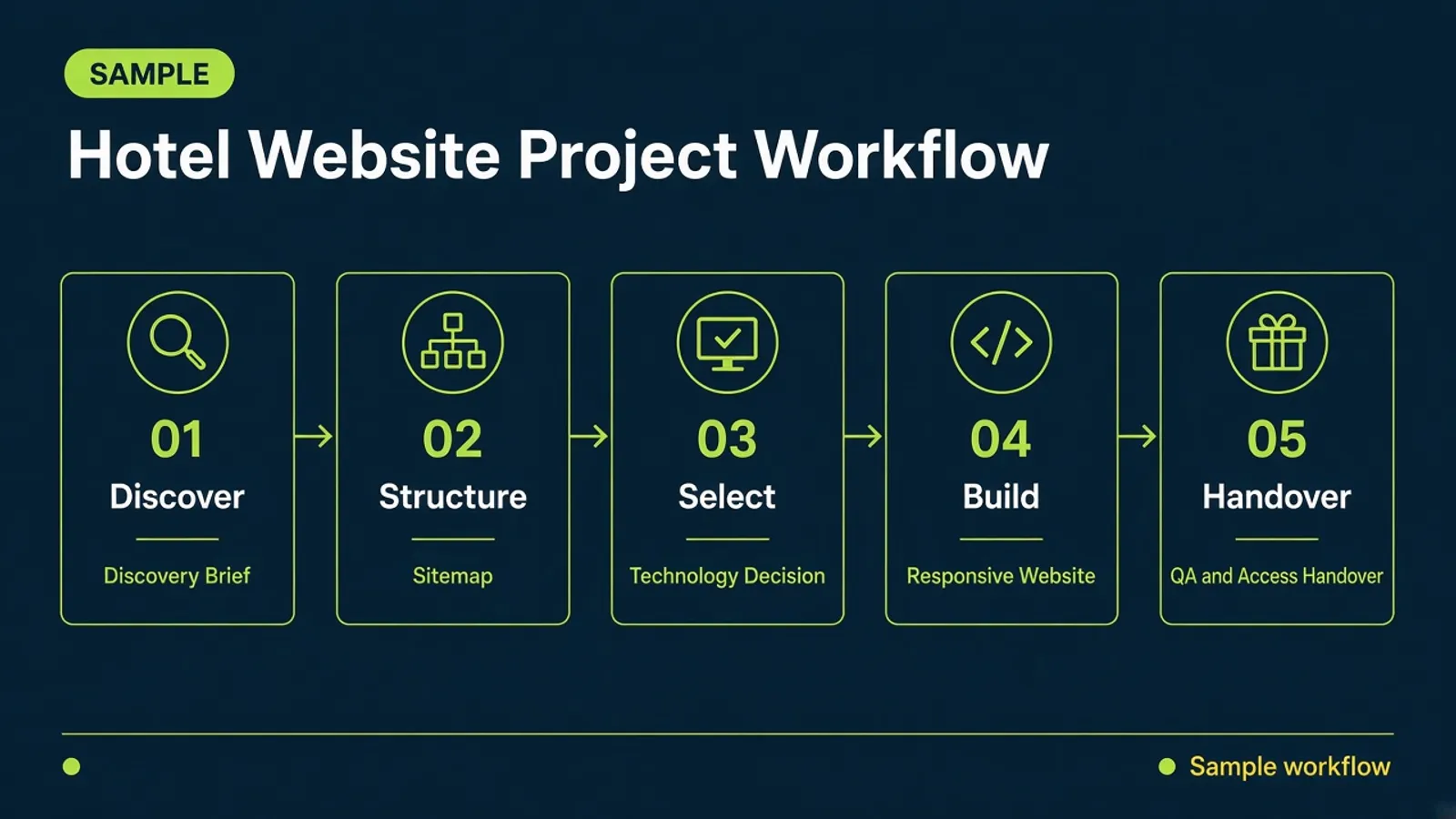
Hotel Website Project Workflow — Sample
| Step | Owner | Input | Action | Output | Approval point | Next decision |
|---|---|---|---|---|---|---|
| 01DiscoverUnderstand the hotel | The KPI Plus gathers facts the hotel provides | Guests, rooms, strengths, the current website, and the booking system | Review guests, rooms, strengths, the current website, and the booking system | Discovery Brief | The hotel confirms hotel facts, rooms, and current systems | Plan the sitemap and the path to contact or book |
| 02StructurePlan the structure | The KPI Plus drafts the structure | Discovery Brief | Name the pages that are needed, the facts guests must see, and the path to contact or book | Sitemap and Content Map | The hotel approves the required pages and the order of facts | Choose the CMS, tools, and connections |
| 03SelectChoose how to build it | The KPI Plus recommends; the hotel decides | Sitemap and Content Map, who will look after content, and the systems that must connect | Review the CMS, tools, and connections that fit the hotel team and the systems already in place | Technology Decision | The hotel approves CMS and technology fit | Design and develop |
| 04BuildDesign and develop | The KPI Plus designs and builds | Technology Decision, plus photos, copy, rates, and conditions the hotel confirms | Work with the hotel to confirm photos, copy, rates, and conditions | Responsive Website and Integration | The hotel approves photos, copy, rates, and conditions | Check and hand over |
| 05HandoverCheck and hand over | The KPI Plus hands over; the hotel receives ownership | Responsive Website and Integration | Test phones, links, the booking system, forms, and measurement, and prepare how content will be looked after after launch | QA Report, CMS Guide, and Access Handover | The hotel accepts CMS, domain, hosting, analytics, and booking-engine account access | The hotel team looks after the site after launch |
This is a sample handover checklist, not a live hotel project status.
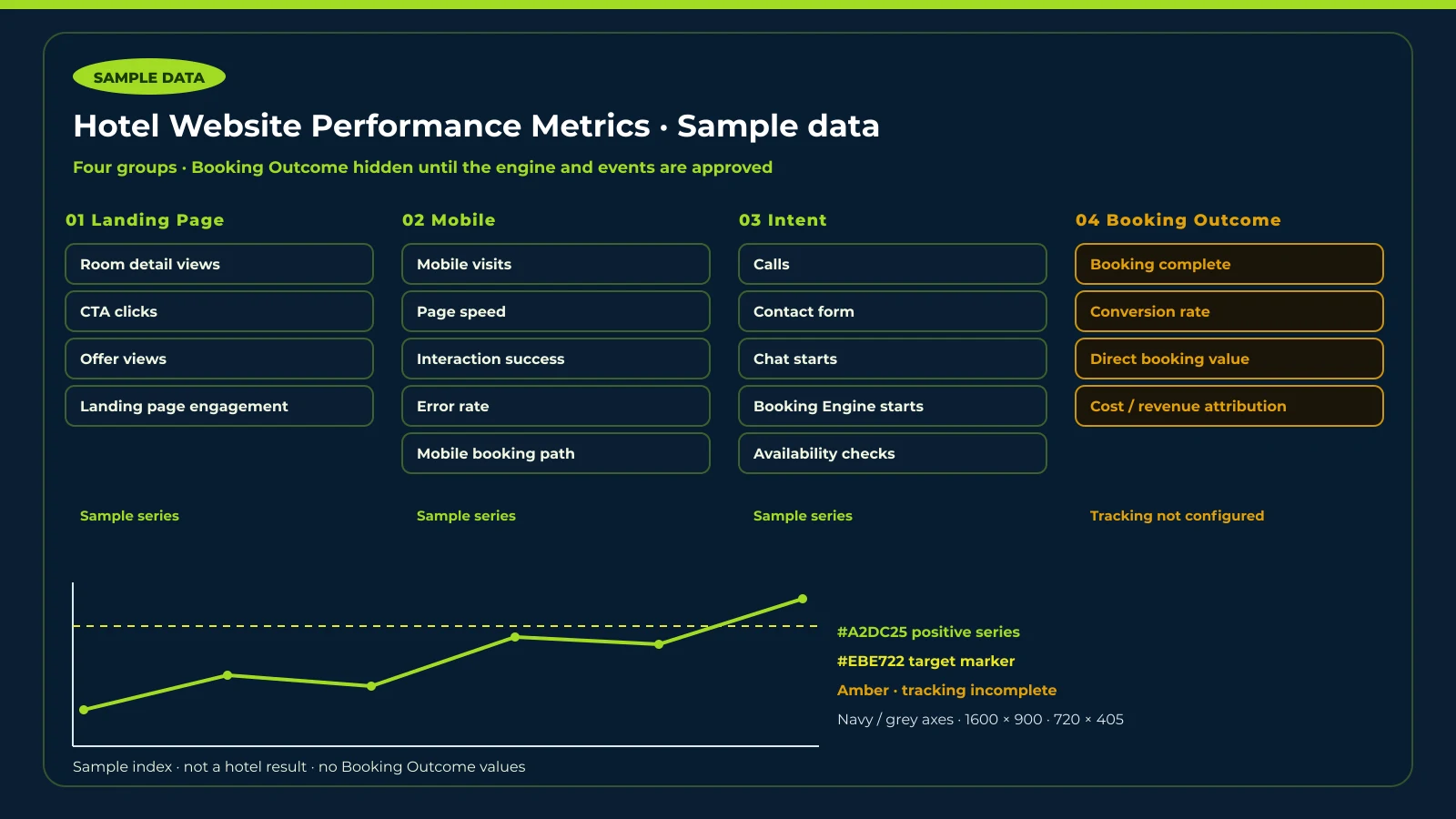
We look at Engagement, Mobile, Contact Intent, and Booking Outcome. A Book click is not a completed booking.
 Sample Website
Labelled sample index. Not a hotel result. Booking Outcome is not plotted.
01
Whether guests reach room, offer, and other key pages. Not a booking count.
Sample series
Sample series
Sample series
Sample series
02
Phone use of the official website, because that is how most guests search and continue toward a booking.
Sample series
Sample series
Sample series
Sample series
Sample series
03
Calls, chat, forms, and Booking Engine starts. A Book click is not a completed booking.
Sample series
Sample series
Sample series
Sample series
Sample series
04
Shown only when the Booking Engine and tracking events are connected and approved for use.
Tracking not configured
Tracking not configured
Tracking not configured
Tracking not configured
Booking Outcome is shown only when the Booking Engine and tracking events are connected and approved for use.
 Sample Website
Website Design
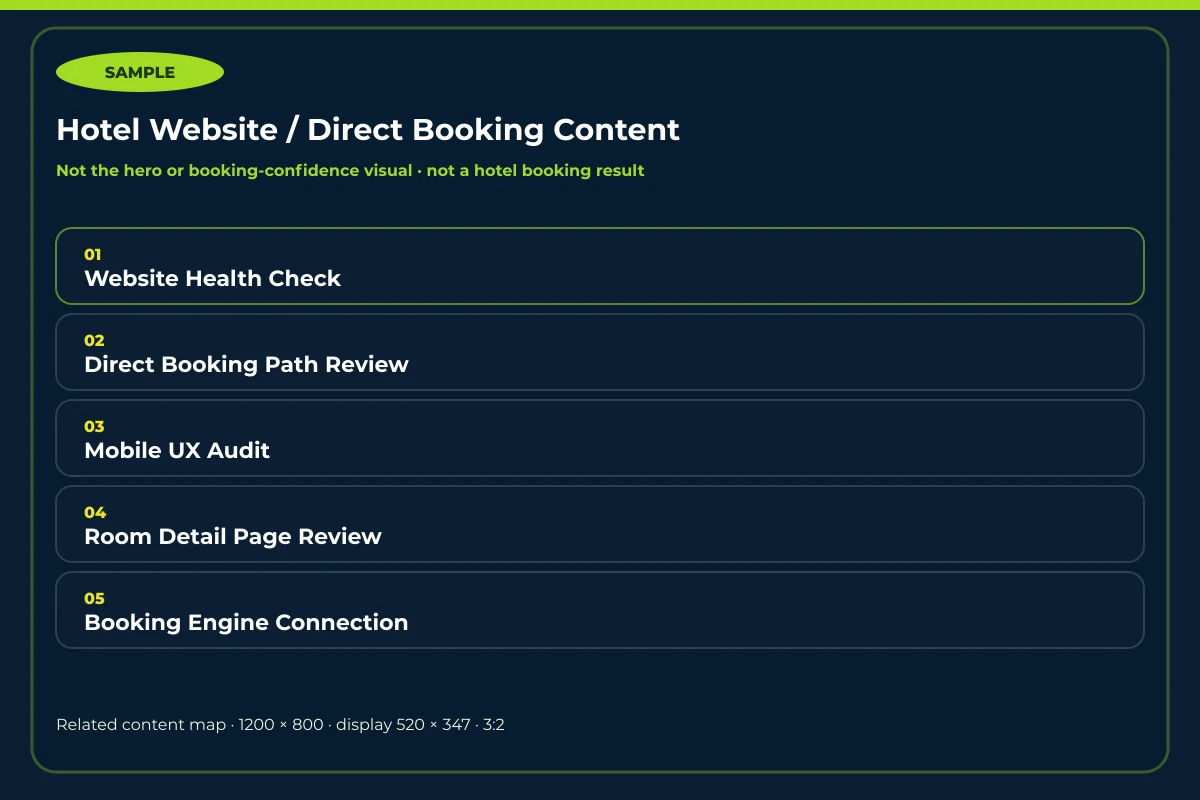
Send the hotel name, website link, and what you want reviewed, so the team can look at the website, mobile use, booking path, and CMS fit.
You do not need to decide first whether to rebuild or improve the current website.